


DotNetNuke SQL Reporting Services (SSRS) Module
This module allows you to interface your DotNetNuke portal with Microsoft SQL Server Reporting Services (SSRS) 2008, 2008 R2, 2012, 2014, 2016, 2017, 2019, & 2022. You allow users to select which reports to run, or you can specify exactly which report will be shown within the module — a great way to transparently bridge the gap between your DNN portal and your SQL reporting server.
Features
Requirements
- DNN / Evoq 6.X – 9.X (DNN 6.2.9+ officially supported)
- Minimum .NET 4.6
- Minimum IIS 6
- AJAX enabled within DNN (when using the AJAX-enabled control)
- Minimum SQL Reporting Services 2008 / R2 (see documentation for version compatibility)
- Internet connection for activation (off-line activation available — see documentation)
Using the Module — Register an SSRS Server
After installation, modify web.config to add the handler, then add an instance of the module
to a page and go to Server Administration to register one or more report servers.
Server Administration Settings
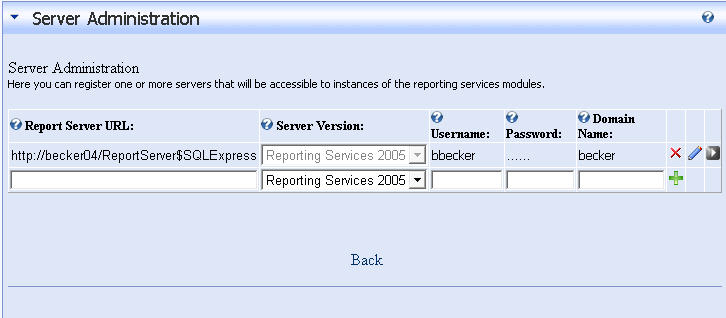
- Server Version — Select the version of your SQL Reporting Services instance.
- Report Server URL — URL to the report server or full path to the reporting web service.
- Username — Active directory username for authentication to Reporting Services.
- Domain — Windows domain name (required for servers hosting multiple domains).
- Password — Password for the Reporting Services active directory user.
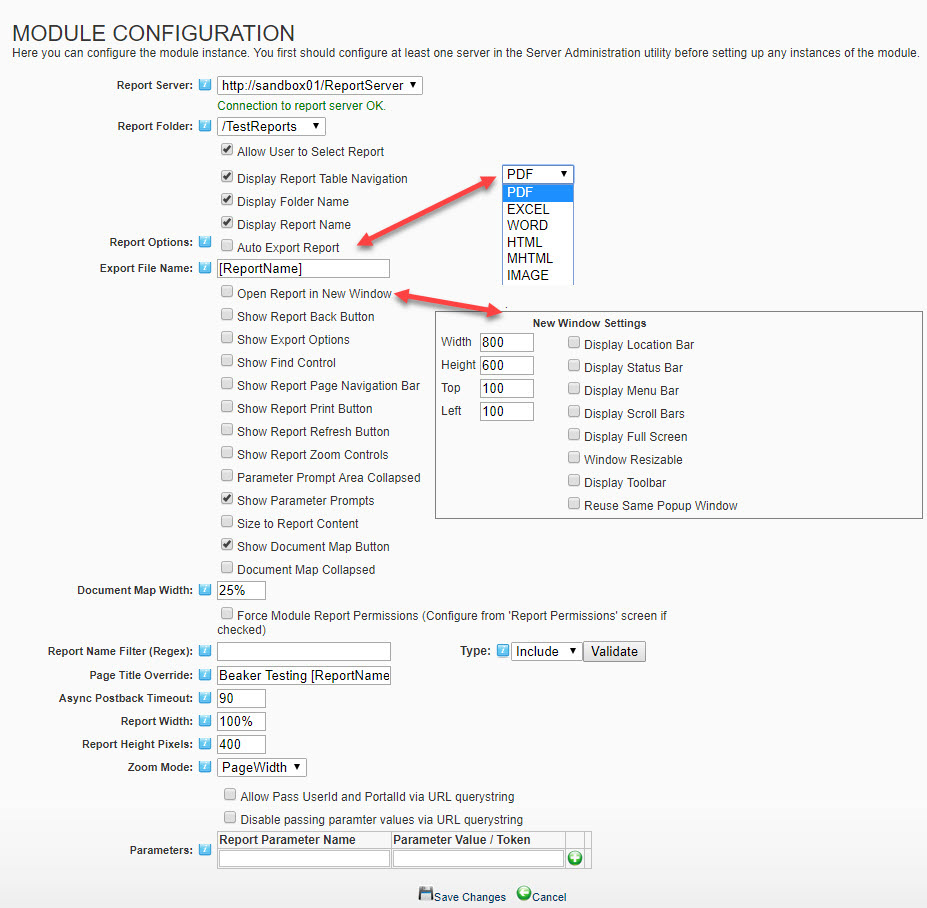
Module Configuration
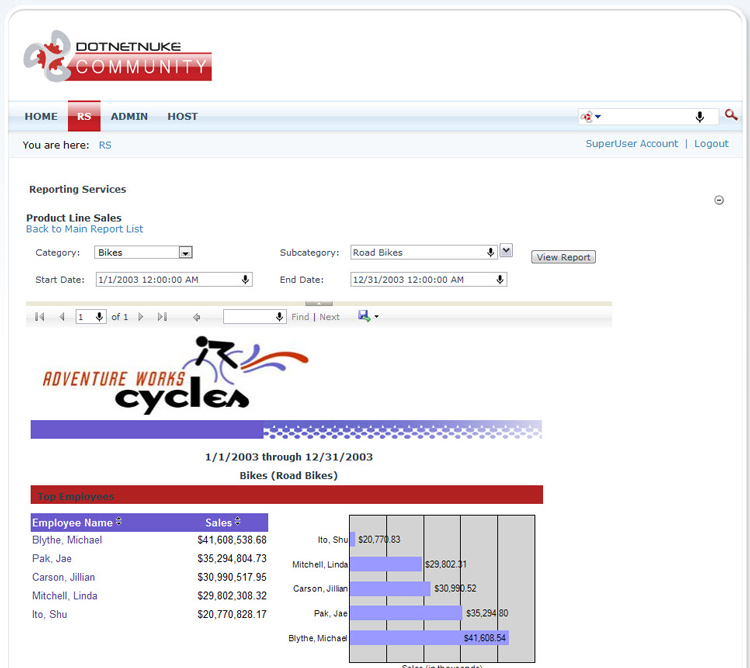
Once a server is registered, add module instances to pages and customize which report(s) are displayed.
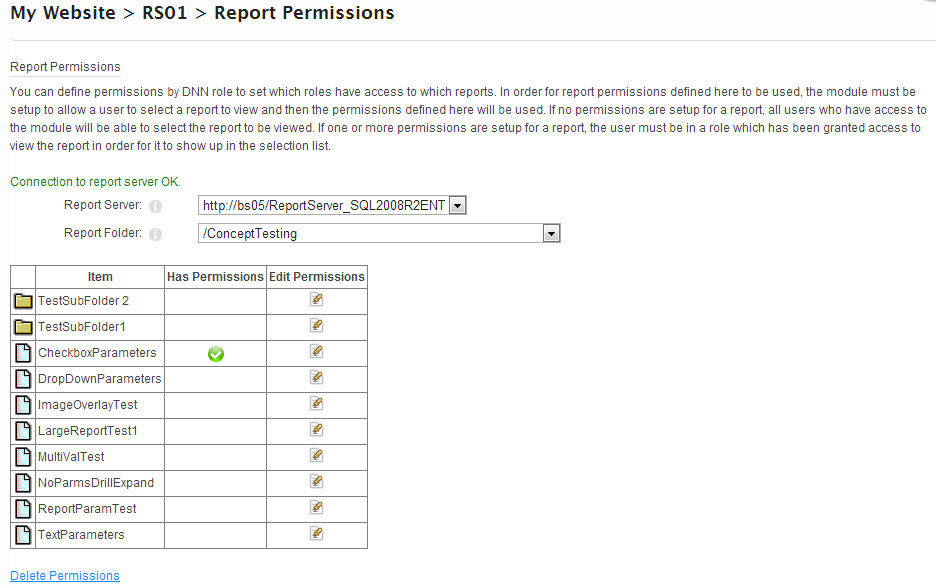
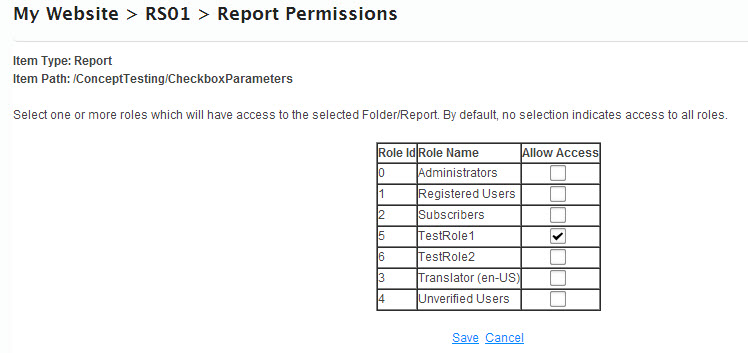
Report Permissions
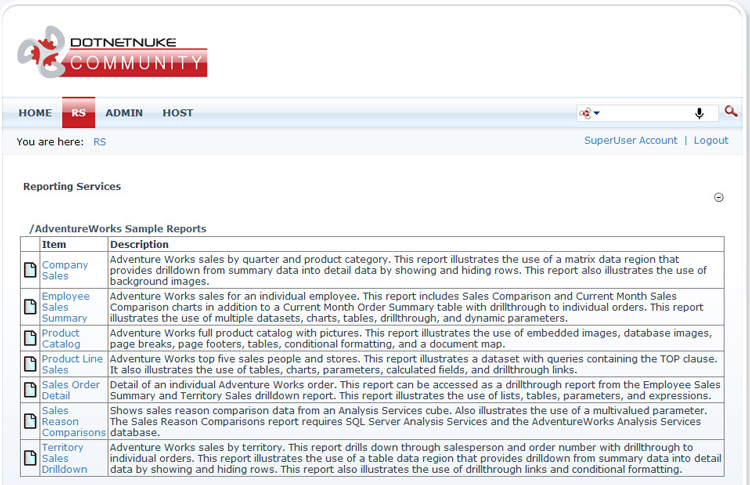
If the module is configured to allow users to select reports, you can set up report permissions to restrict which folders and reports are visible based on DNN role.
Additional Screenshots
Version Notes
We love to hear your feedback and ideas — please drop us a line at service@modulemasters.com. Most new features are customer-driven ideas. We also offer custom solutions — contact us today for more information!